

MeetingSketch
Turn meeting transcripts into visual architecture outputs
Stats
- Domain Rating
- 3-2
- Applied to
- 77
since joining ShipList
directories
About
AI meeting intelligence for solution architects, project managers, solutions engineers, technical consultants, account executives, and IT leaders. Turn technical meeting transcripts into architecture diagrams, decision records, executive briefs, and action items. Free to start.
Screenshots
Features
Transcript analysis
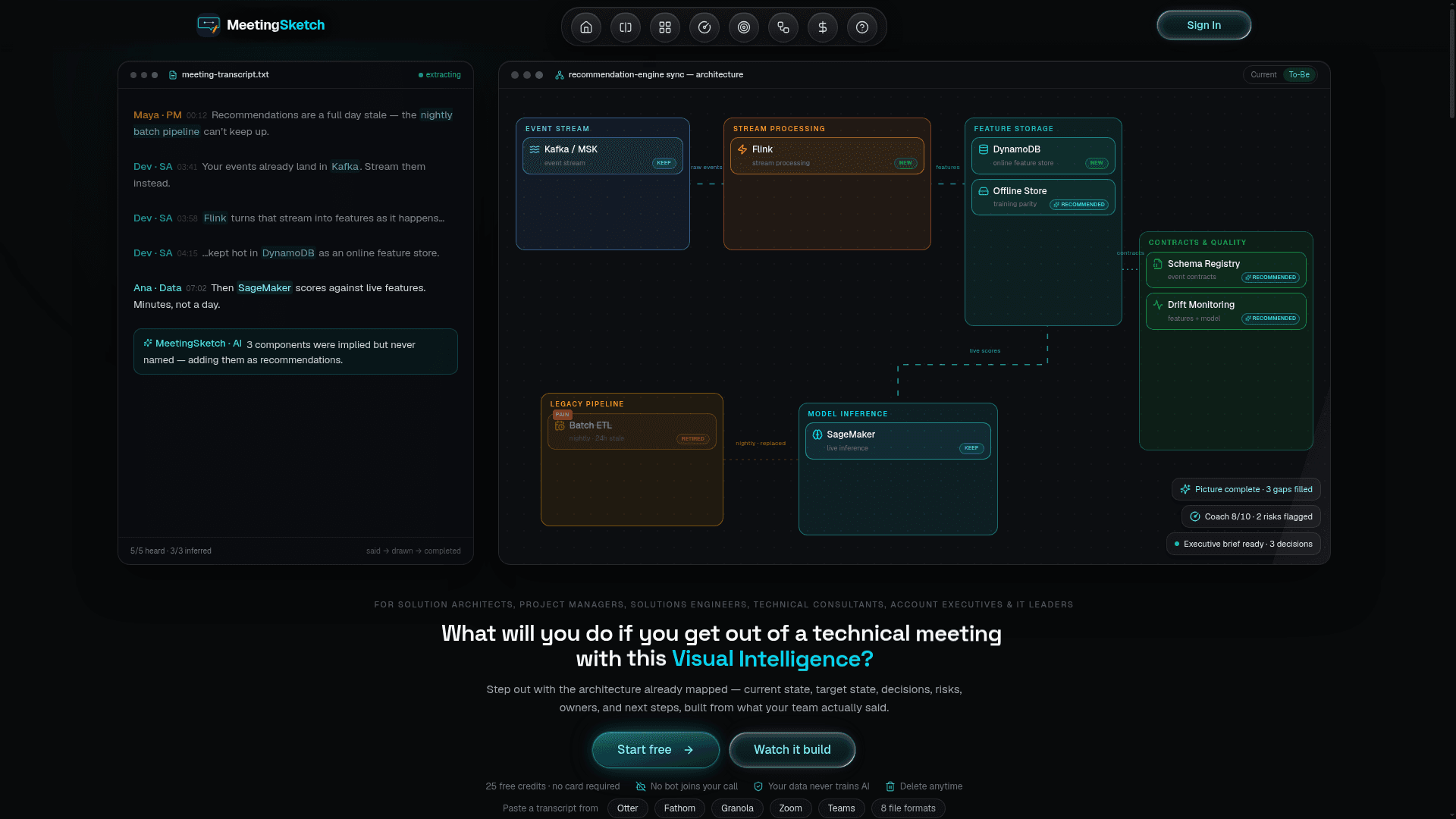
Paste or upload a transcript and the product extracts decisions, action items, open questions, key topics, risks, and owners.
Architecture diagrams
It generates current-state and target-state architecture diagrams from the meeting content.
Executive brief
The tool creates a concise executive brief with the main decisions and outcomes from the meeting.
Action items
It produces prioritized action items with owners and next steps.
AI coach
An AI coach scores the meeting against its goal and flags risks and gaps.
HTML export
Outputs can be shared as a one-click HTML export that teams can open anywhere.
FAQ
- How does the AI processing work?
- Paste or upload a meeting transcript and MeetingSketch uses AI to extract decisions, action items, open questions, and key topics, then generates visual architecture diagrams and a concise brief. Processing typically completes in seconds.
- What happens to my meeting data?
- We do not use your meeting data to train AI models. You can delete your meetings from your account at any time.
- What formats can I upload?
- MeetingSketch accepts plain text transcripts (.txt), PDF, DOCX, VTT subtitle files, SRT, CSV, Markdown, JSON, and copy-pasted content from any source — meeting notes, Slack threads, Google Docs, or similar.
- Can I use it without a subscription?
- Yes — the free plan gives you 25 credits with no credit card required, so you can try MeetingSketch before paying anything. Pro adds 150 credits every month, and you can buy top-up credits which never expire and have no monthly commitment.
- What is a credit?
- Credits are how you spend AI analysis. Each meeting uses credits based on its length and depth — a short sync costs less, a long or complex workshop more — so you only ever pay for what a meeting actually needs, with no rigid per-meeting cap. Monthly credits refresh each cycle; top-up credits never expire.
- What diagram types are supported?
- MeetingSketch generates architecture diagrams showing system components and relationships, plus current-state vs. to-be-state comparisons. Diagrams can be exported as a shareable HTML file.
- Do unused credits roll over?
- Monthly subscription credits reset each billing cycle and do not roll over. Purchased top-up credits never expire.
- Is there a team plan?
- Team features are on the roadmap. Currently each account is individual. The Pro plan (Monthly or Yearly) is well-suited for power users who process high meeting volumes, with top-up credits available whenever you need more.